The Mac Specialistindependent accessory compatibility lab

Category · 3 items

Monitors & stands for Mac for Mac Pro (2023)

A monitor with a USB-C or Thunderbolt input can show your Mac’s picture, carry data and charge a MacBook over one cable. Check how many external displays your Mac supports on its device page.
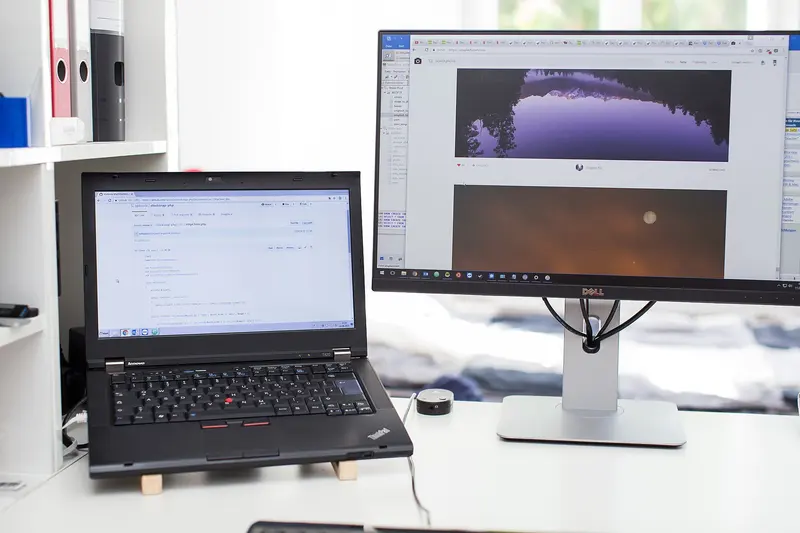
Black laptop raised on small wooden blocks beside a large external monitor on a height-adjustable stand, on a white desk by a window
Photo: Taduuda taduuda, CC0
Clear

3 of 3 shown — Mac Pro (2023): works first, then works with adapter

Apple · Monitors & stands for Mac

Apple Studio Display (2026)

Thunderbolt 5USB-C

Display
27-inch 5K Retina, 5120x2880, 218 ppi, 600 nits, 60Hz, P3
Ports
2 × Thunderbolt 5 (up to 120Gb/s: 1 upstream to host, 1 downstream for accessories or daisy-chaining displays), 2 × USB-C (up to 10Gb/s)
Host charging
96W over the upstream Thunderbolt 5 port

With Mac Pro (2023):

Works

Check how many external displays this Mac supports

BenQ · Monitors & stands for Mac

BenQ MA270S 27" 5K Monitor for Mac

Thunderbolt 4USB-CUSB-AHDMI

Display
27-inch IPS, 5120x2880, 218 ppi, 450 nits, 70Hz, 99% P3, Nano Gloss
Mac charging
Thunderbolt 4 up to 96W; USB-C 35W; Thunderbolt 4 out 15W
Inputs
1 × Thunderbolt 4 (DP Alt Mode, data), 1 × USB-C (DP Alt Mode, data), 2 × HDMI 2.1

With Mac Pro (2023):

Works

Check how many external displays this Mac supports

LG · Monitors & stands for Mac

LG UltraFine evo 6K 32U990A-S

Thunderbolt 5USB-CHDMIDisplayPort

Display
31.5-inch 6K (6144 × 3456), 224 ppi, IPS Black, 450 nits typ., 60Hz
Colour
DCI-P3 98%, Adobe RGB 99.5% (typ.); 10-bit
Ports
Thunderbolt 5 × 2 (in/out), DisplayPort 2.1, HDMI 2.1, USB-C up × 1, USB-C down × 2 (USB 3.2 Gen 2, 15W)

With Mac Pro (2023):

Works

Check how many external displays this Mac supports

up to 3

What to look for

As an Amazon Associate I earn from qualifying purchases. Buttons open Amazon.co.uk search results unless we’ve checked the exact product page. Prices and availability are on Amazon.